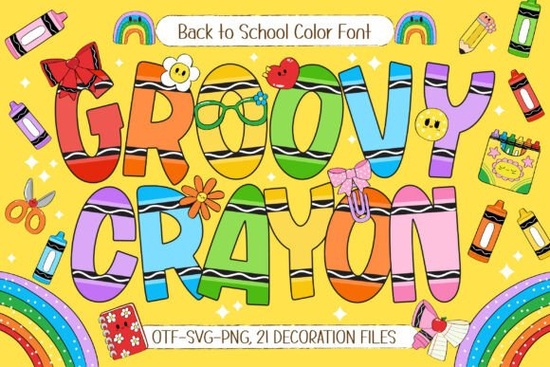
If you’re looking for a font that feels like a box of crayons turned into letters, Groovy Crayon Font is exactly what you need. It’s a hand-drawn, color font that brings back the fun and messiness of childhood creativity. The letters are bold, decorated with cute crayon-inspired doodles, and come in 7 vibrant color variations. Whether you’re a teacher preparing classroom materials, a print-on-demand seller making kids’ t-shirts, or a hobbyist working on scrapbook pages, this font adds a cheerful rainbow effect that feels genuinely handmade.
Is Groovy Crayon Font suitable for children’s projects?
Yes, it’s designed specifically for kids. The font includes 21 school-themed doodle cliparts like pencils, apples, stars, and books, so you don’t need to search for extra graphics. Use it for:
- Teacher resources – worksheets, name tags, and reward charts
- Classroom decorations – alphabet posters, bulletin boards, and door signs
- Educational posters – sight words, numbers, or classroom rules
- T-shirts and tote bags – back-to-school designs that kids love
- Invitations and stickers – birthday parties, school events, or just for fun
The doodle details make each letter feel like a little drawing, which is perfect for engaging young learners without overwhelming them.
How does the color variation work?
Instead of using a single color, Groovy Crayon Font gives you 7 different color variations in one font file. This means you can type a word and each letter automatically appears in a different color – like a rainbow. No need to manually change the color of each letter or use separate glyphs. This saves time and keeps your design looking lively and balanced.
If you prefer a more uniform look, you can also stick to one color for all letters. The font works both ways. For projects that need a soft, pastel feel or a bright, bold pop, you have control without extra editing.
Can I use it for commercial projects like print-on-demand?
Yes. Groovy Crayon Font includes a commercial license, so you can use it for products you sell. This makes it a practical choice for small businesses and print-on-demand sellers who create items like:
- Kids’ apparel (t-shirts, hoodies, onesies)
- Mugs and water bottles
- Phone cases and laptop skins
- Party decorations and banners
- Digital scrapbooking kits
The hand-drawn style helps your products stand out from generic stock fonts. It feels personal and playful, which resonates with parents looking for unique, creative items for their children.
What about the technical side – is it easy to install?
Absolutely. The font installs like any other OTF or TTF font on both Windows and Mac. It also works with most design software, including Canva, Adobe Illustrator, Procreate, and Affinity Designer. The color feature (OpenType SVG) works best in software that supports color fonts, like Adobe Photoshop, Illustrator, or InDesign. In programs that don’t support color fonts, it will fall back to a standard black outline or a single color – still usable, just without the rainbow effect.
If you’re new to color fonts, here’s a quick tip: type your text, then select the font from your font menu. It should display the colored letters automatically. If not, check that your software supports OpenType SVG. Most recent versions do.
How does it compare to other colorful fonts?
There are many colorful fonts, but most are either vector-based or require layering multiple files. Groovy Crayon Font is a true color font, meaning the colors are baked into the font itself. You don’t need to create separate layers for each color or use clipping masks. This is a huge time-saver if you’re designing multiple products.
Another popular option is the Daisy Font, which has a floral, hand-drawn feel. While Daisy Font works beautifully for nature-themed or feminine designs, Groovy Crayon Font is more direct and playful – ideal for school and kids’ projects. Depending on your niche, you might want both in your toolkit.
What kind of projects will this font really shine in?
Think about back-to-school season or any project aimed at children. Here are a few real-world ideas where this font makes a difference:
Classroom bulletin boards
Spell out “Welcome Back” with the rainbow letters and add the doodle cliparts around the edges. It instantly creates a cheerful, inviting space.
Digital planners for teachers
Use the font for lesson plan titles or subject headers. The doodle cliparts can mark special events like “Field Trip” or “Science Fair.”
Birthday party kits
Create matching invitations, cupcake toppers, and thank-you cards using the same font. The consistent style gives a cohesive look without extra effort.
Social media graphics
If you run an educational or parenting account, this font can help your posts stand out in the feed. Use it for quotes, announcements, or tips.
A practical checklist before you buy
- Check your software compatibility – ensure your design program supports OpenType SVG for full color effect.
- Decide on your project type – this font is best for kids, school, or playful themes, not for formal or corporate designs.
- Combine with the doodle cliparts – the included cliparts are a bonus, so plan how you’ll use them to decorate your text.
- Consider buying as a bundle – Creative Fabrica often has deals where you can get this font together with other kids’ resources.
- Test the font before using on products – download the demo version or try it in your software to see how the colors appear on your chosen product mockups.
Overall, Groovy Crayon Font is a solid choice if you want a ready-to-use, colorful font that actually looks hand-drawn. It eliminates the extra steps of coloring letters manually and includes cliparts that match the style. For teachers, crafters, and print-on-demand sellers, it’s a practical tool that saves time and adds personality to your projects.
Get Started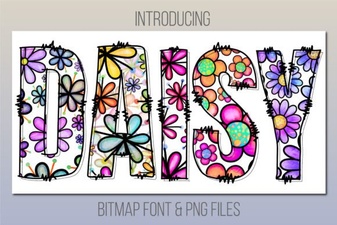 Daisy Font: Download Free Script Lettering
 Shina Qatline Font: Creative Uses & Design Ideas
 The Butterfly Inside Font for Creative Design Projects
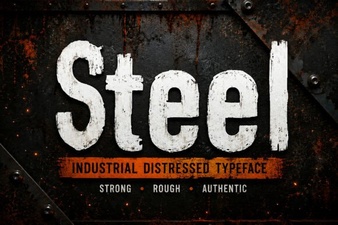 Crafting Design with Strong Steel Fonts
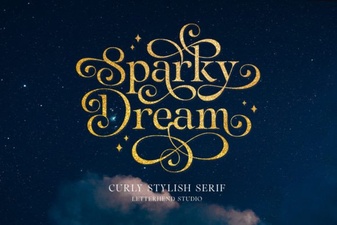 Sparky Dream Font: Creative Projects & Usability Guide
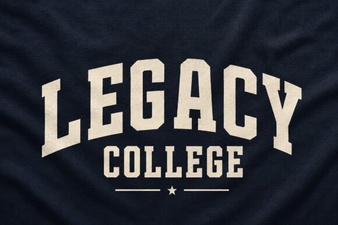 The Legacy College Font: Classic Style Guide