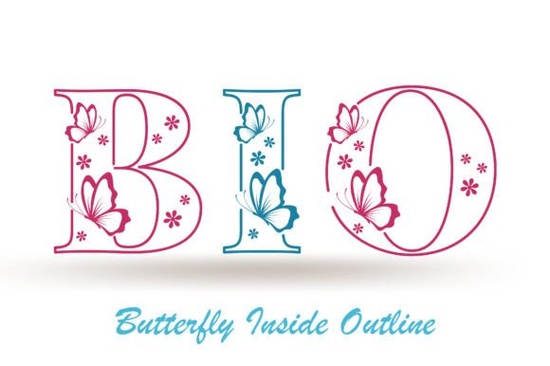
If you're looking for a decorative font that combines elegance with playful ornaments, Butterfly Inside is worth a close look. This outline typeface comes with lovely swirls and butterfly-like details that make it stand out from standard scripts. Whether you design greeting cards, social media graphics, or printable stationery, the Butterfly Inside Font gives your work a handcrafted feel without needing extra illustration skills.
What kind of projects work best with Butterfly Inside Font?
Because of its delicate outlines and ornamental characters, this font shines in projects where you want a soft, romantic, or whimsical touch. Here are a few examples where it fits naturally:
- Greeting cards and invitations – birthdays, weddings, baby showers, and thank-you notes look more personal with the font’s flowing shapes.
- Social media posts – quotes, announcements, and story highlights get a unique, non-generic vibe.
- Printable wall art – combine the font with simple backgrounds for instant decor pieces.
- Branding for boutiques – if you run a small shop that sells handmade or nature-inspired products, this font helps communicate that aesthetic.
- Scrapbooking and journaling – the ornaments can replace stickers or doodles.
Many designers use it for wedding-related materials because the butterfly motif aligns with themes of transformation and beauty. If you’ve tried other decorative fonts like New Moon, you’ll notice Butterfly Inside has a lighter, airier feel – it’s all about open spaces and graceful curves.
How does Butterfly Inside Font compare to other decorative fonts?
Most decorative fonts fall into two camps: bold and intricate, or minimal and clean. Butterfly Inside sits somewhere in the middle. Its outline style means it doesn’t overwhelm a layout, yet the ornaments give it enough personality for statement pieces. For print-on-demand sellers, this is a practical advantage: the font works well on both light and dark backgrounds (just invert the color).
Compare it to solid script fonts: Butterfly Inside saves ink when printing, and it layers beautifully behind solid text or images. If you need something more detailed for a specific project, you can check more butterfly-themed decorative fonts on Creative Fabrica – but this one remains a top pick because of its readability.
One common concern with ornamental fonts is legibility at small sizes. Butterfly Inside keeps its charm even when scaled down, thanks to consistent stroke width. However, for very small text (below 12pt on screen or 8pt in print) the outline may become too faint. I’d recommend using it for headlines, subheads, or decorative elements rather than body copy.
Tips for using ornamental fonts in print-on-demand products
If you sell on platforms like Redbubble, Etsy, or Amazon Merch, pairing Butterfly Inside with a simple background often leads to better conversions. Here’s a practical workflow:
- Test contrast – place the font over a subtle watercolor texture or a solid pastel background. Avoid busy patterns that compete with the ornaments.
- Layer thoughtfully – use the font’s outline as a secondary element behind a bold sans serif. This adds depth without clutter.
- Keep ornaments intentional – the font includes swashes and decorative glyphs. Use them sparingly to highlight key words or initials.
- Pair with neutral typefaces – fonts like Montserrat, Lato, or Open Sans work well alongside Butterfly Inside because they don’t steal attention.
- Check commercial licensing – Butterfly Inside Font on Creative Fabrica often comes with a commercial use license, but always double‑check the specific product page before selling.
Common questions about using Butterfly Inside for social media graphics
Q: Can I use this font for Instagram posts and stories?
Absolutely. The open outlines make it easy to read on mobile screens, especially when you add a subtle shadow or stroke. Try using it for quote graphics with a soft pink or pastel blue background.
Q: Does the font include numbers and punctuation?
Yes, the full character set includes uppercase letters, lowercase letters, numbers, and basic punctuation. Some of the ornamental glyphs replace standard characters, so you may need to access them via a glyphs panel in software like Canva, Photoshop, or Illustrator.
Q: How do I access the ornaments?
In most design apps, open the Glyphs panel and look for alternate characters. On Canva, paste the text first, then select individual letters and choose from the style variants. On Cricut Design Space, use the Character Map to insert decorative elements.
A quick checklist before you download
Before adding Butterfly Inside Font to your toolkit, go through these points:
- Intent – do you have a specific project (cards, POD, branding) that calls for an ornate, outline style?
- Software compatibility – works with any app that supports OTF/TTF files.
- License type – confirm commercial use if you plan to sell end products.
- Fallback plan – have a simpler backup font for places where the ornaments might crowd the design.
- Test a sample – download the free demo if available, or try the font in a few mockups before purchasing.
If you’re ready to add a touch of elegance to your next project, Butterfly Inside Font is a solid choice that won’t weigh down your design. Pair it with a clear concept and a light hand, and you’ll create pieces that feel both personal and professional.
Get Started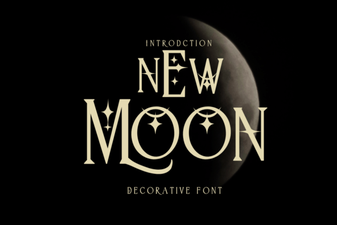 The New Moon Font for Creative Projects
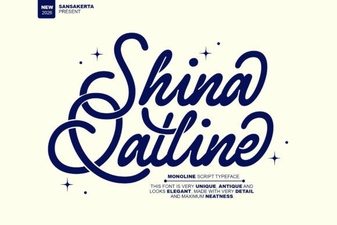 Shina Qatline Font: Creative Uses & Design Ideas
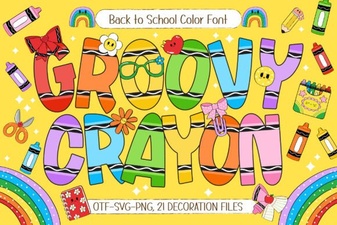 Groovy Crayon Font: Playful Designs and Creative Projects
 Crafting Design with Strong Steel Fonts
 Sparky Dream Font: Creative Projects & Usability Guide
 The Legacy College Font: Classic Style Guide