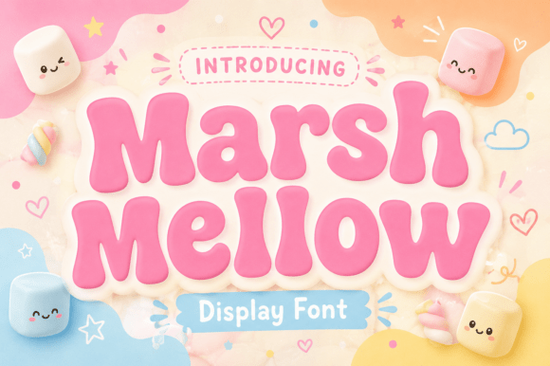
If you’re searching for a display font that brings a warm, playful touch to your projects, Marshmellow Font might be exactly what you need. This chunky, retro-style typeface draws inspiration from the bold, carefree energy of the 1970s. Its thick, pillowy letters and soft, curvy outlines make it feel both nostalgic and approachable like the sugary treat it’s named after.
What makes Marshmellow Font stand out?
Unlike many display fonts that feel stiff or overly decorative, Marshmellow strikes a balance between fun and readability. The rounded edges and generous weight give it a friendly personality that works well in both large headlines and smaller accents. Designers often choose it when they want to add a sense of joy, humor, or retro charm without overwhelming the rest of the layout.
Because of its substantial depth and soft appearance, the font performs especially well in logos, brand identities, and packaging where a lighthearted vibe is needed. It also shines in social media graphics, merchandise, and clothing designs anywhere you want the text to feel approachable and memorable.
Who is Marshmellow Font for?
This typeface is a natural fit for a wide range of creative professionals:
- Print-on-demand sellers can use it on t-shirts, mugs, or posters that need a retro or playful look.
- Small business owners building a brand identity with a friendly, vintage twist will appreciate its versatility.
- Crafters and hobbyists designing party invitations, scrapbook pages, or custom gifts can add a cheerful note.
- Graphic designers working on projects for cafes, bakeries, or children’s products will find the font fits right in.
If you’re looking for other display fonts with a similar feel, you might check out the chunky retro options in the Mario font family or the spacier, rounder shapes from Nebulan Star. Each brings a distinct mood, but all share that same eye-catching weight.
How can I use Marshmellow Font in my designs?
The key is to let the font be the star. Because its letters are thick and bold, avoid pairing it with another heavy typeface. Instead, combine it with a simple, clean sans-serif for body text. Here are a few practical ideas:
- Logos – Use it in all caps for a friendly, confident brand mark.
- Product labels – Add a nostalgic feel to jam jars, candle labels, or soap packaging.
- Social media posts – Create eye-catching quote graphics or sale announcements.
- Merchandise – Print it on tote bags, hoodies, or phone cases for a playful touch.
For a more refined retro aesthetic, consider layering the font with subtle textures or placing it on a solid background. The soft curves work beautifully with warm color palettes think mustard yellow, burnt orange, or mint green.
Is Marshmellow Font good for print-on-demand (POD)?
Absolutely. Print-on-demand sellers often look for fonts that stand out on products without losing readability. Marshmellow’s chunky design ensures the text remains clear even on smaller items like stickers or pins. It also scales well, so you can use it on both large posters and compact labels. If you’re building a POD store with a retro or candy-themed vibe, this font will feel right at home.
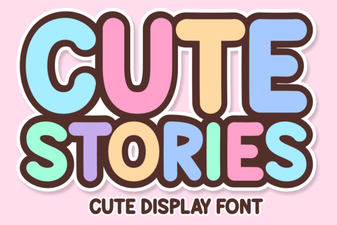
You might also like the Cute Stories font for a softer script style, or Homegoing for a more modern take on vintage lettering. Both complement Marshmellow well if you want to offer variety in your product line.
What about licensing and compatibility?
Marshmellow Font is available for commercial use through Creative Fabrica, meaning you can use it in products you sell. Always double-check the specific license terms for your intended use, but the standard Creative Fabrica license covers most personal and small business projects. The font works across major design software like Adobe Illustrator, Photoshop, Canva, and Procreate.
For crafters using cutting machines like Cricut or Silhouette, the thick outlines make weeding and layering much easier compared to thin or intricate fonts. That’s a practical bonus if you’re creating vinyl decals or paper crafts.
Where can I download Marshmellow Font?
You can get it directly from Creative Fabrica. If you’re already a subscriber, you may have access to it as part of your plan. Otherwise, you can purchase it individually. Before you download, take a look at the full character set to see if it includes the punctuation and symbols you need especially if you’re designing in a language with accents or special characters.
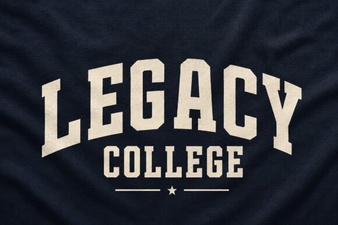
If you’re interested in other display fonts with a similar retro weight, check out the Legacy College font for a sporty, varsity look that also carries a bold, chunky style.
Quick checklist before using Marshmellow Font
- Test the font in both uppercase and lowercase – See how the letter spacing works for your project.
- Pair it with a neutral background – The font is busy enough on its own; keep surroundings simple.
- Check contrast – On dark backgrounds, ensure the letters don’t get lost; maybe add a light outline.
- Use a mockup – Before finalizing, drop the font into a product mockup to see how it feels in context.
If you’re ready to give your next design a dose of cheerful nostalgia, Marshmellow Font is a solid choice that won’t disappoint. Try it on a logo, a label, or a social media post you’ll quickly see why its pillowy shapes are so hard to resist.
Download Now Crafting Design with Strong Steel Fonts
 The Legacy College Font: Classic Style Guide
 Creative Projects Using Cute Stories Fonts
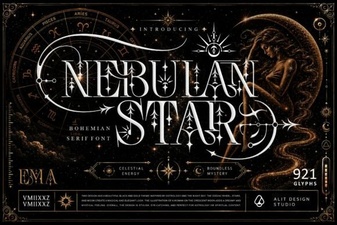 Design a Unique Font Project with Nebulan Star
 Crafting Urban Style with Street Fonts
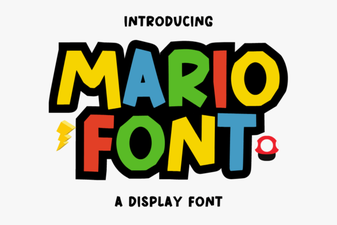 Design Projects Using the Mario Font